Learn Excel Formulas AppLearn Excel in 2‑minute lessons
Cellio teaches spreadsheet formulas by doing. Tap cells to build real formulas, get every answer checked on real data, and keep a daily streak going with Celly, your spreadsheet buddy.
✓ Works the same in Excel and Google Sheets
2 min
per lesson
Real data
every answer is calculated
Excel + Sheets
same formulas in both
33
app languages
Try it right here
Tap to build your first formula
This is how a Cellio exercise works. Tap the cells and keys to write the formula, then press Check. Your answer is calculated, not matched against a fixed text.
Write the formula
What were sales in the first quarter (Jan to Mar)? Write it in B5.
Tap a cell to add it, tap another to make a range.
Why it sticks
Not a video course. Real practice, in your pocket.
1
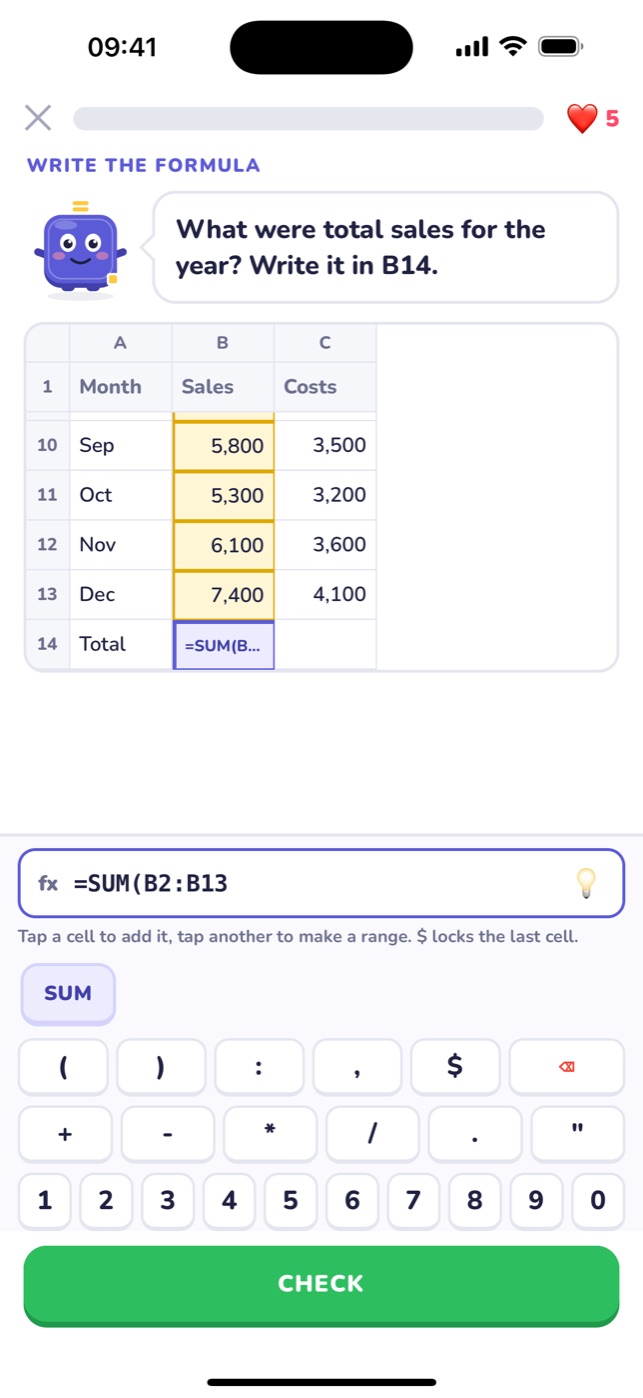
Tap to build formulas
No fiddly typing on a phone keyboard. Tap a cell to add it, tap another to make a range, and use the formula keys for SUM, brackets and $.
2
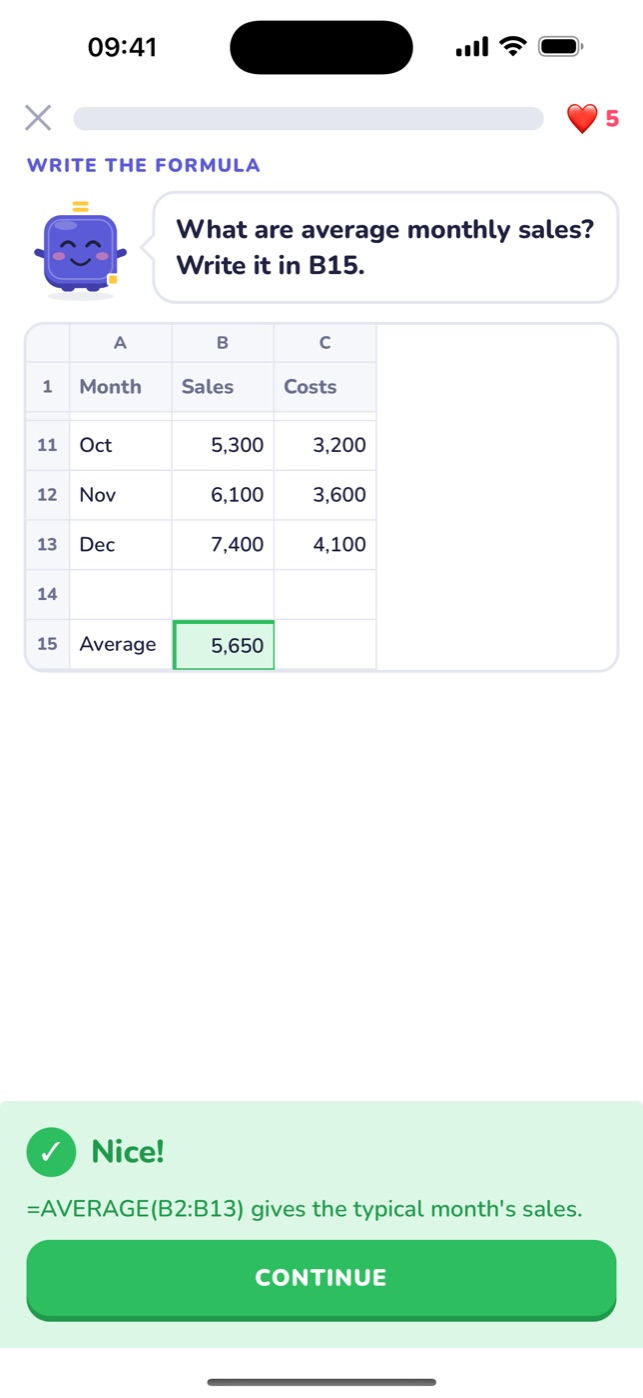
Every answer checked on real data
Your formula is calculated on the sheet, then re-checked on hidden versions of the data. Any formula that gives the right result counts, and a typed-in number can't sneak through.
3
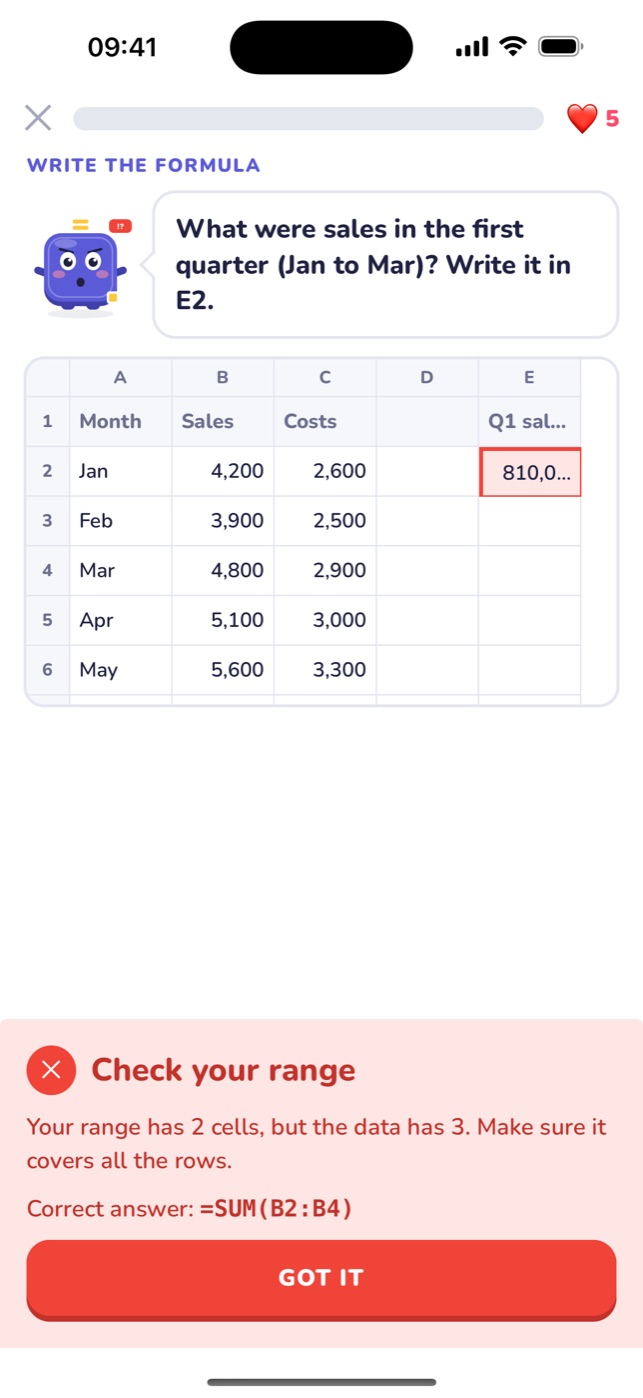
Know exactly what went wrong
Range one row short? Forgot the $? Divided by an empty cell? Cellio tells you the reason, not just "wrong", and shows the correct formula.
4
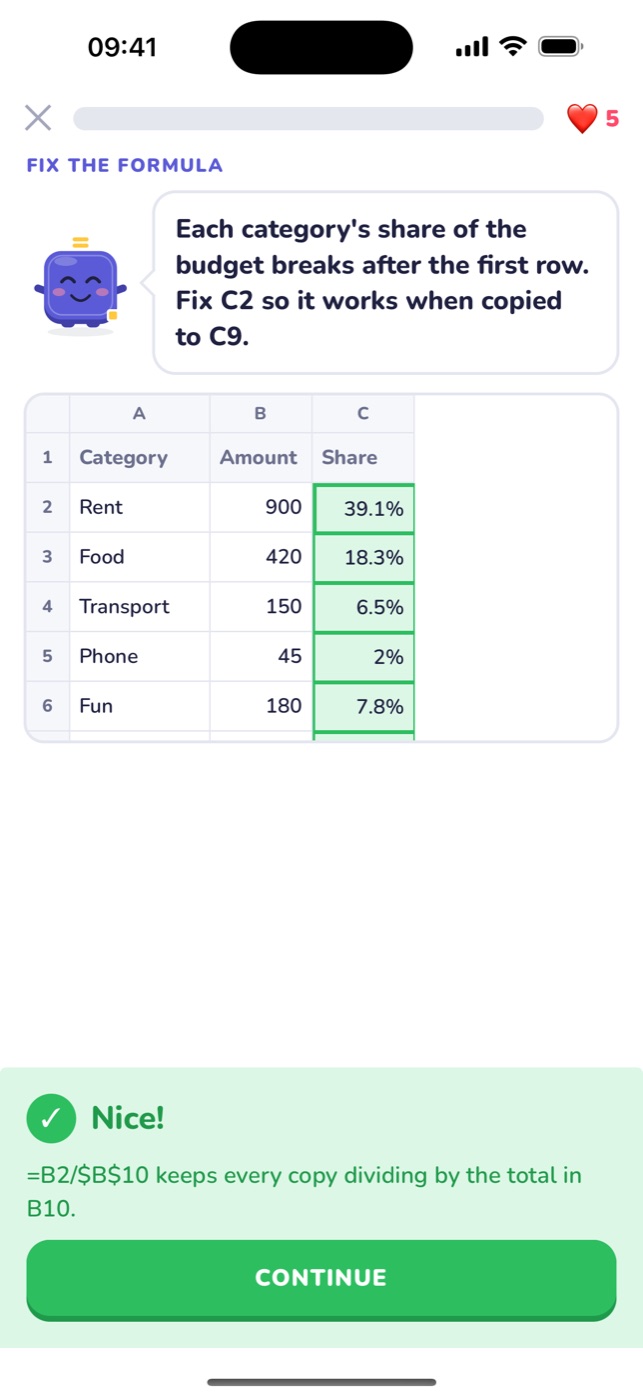
Lock cells with $ like a pro
Fill-down exercises copy your formula down the column exactly like Excel does, so you see why relative references move and $ references stay put.
5
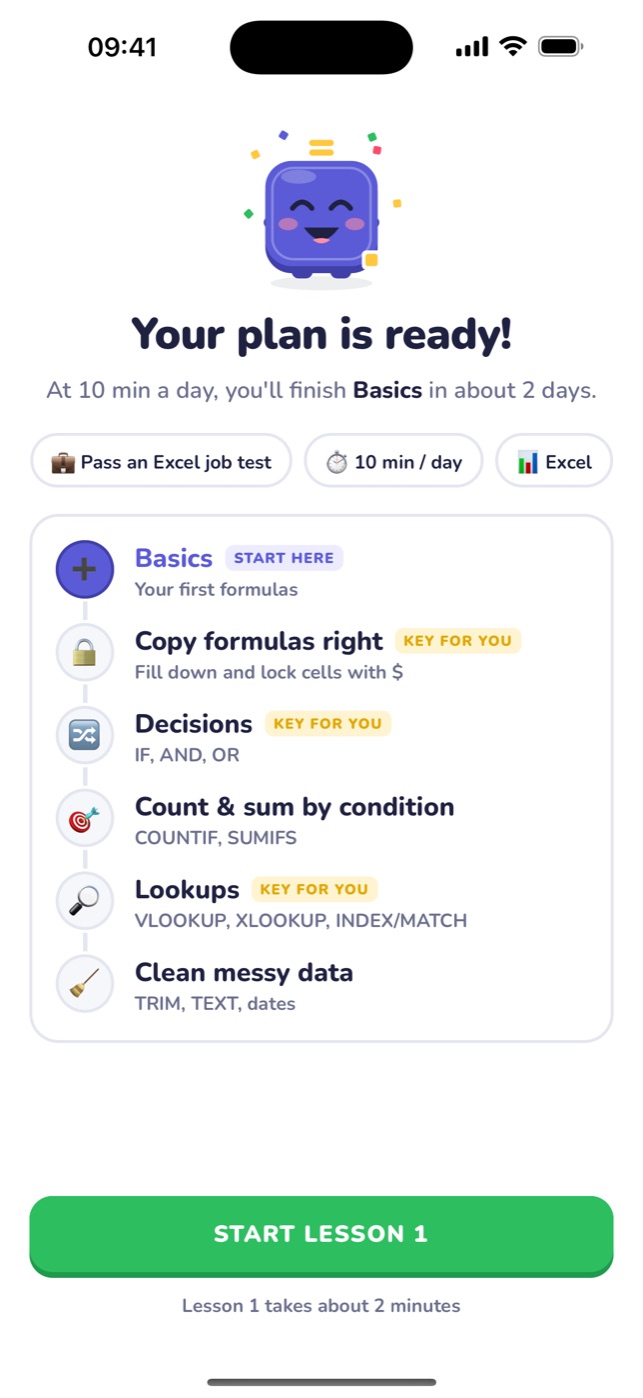
A plan built for your goal
Tell Celly why you're learning (a job test, work, school or a career switch) and how many minutes a day you have. Your path starts at the right place.
How it works
Three steps, a few minutes a day
- 1
Pick your goal
Job test, faster work, school, a new career or plain curiosity. Choose 5, 10 or 15 minutes a day.
- 2
Learn one idea, then do it
Each lesson shows one concept on a small card, then you practise it on a real sheet: choose, write and fix formulas.
- 3
Keep the streak
Earn XP, keep your hearts and grow your daily streak. Missed questions come back at the end until they stick.
The course
From your first = to lookups
Units 1 and 2 are live today. The rest of the path is being built and unlocks for Cellio Pro members as it ships.
Live
Basics
Your first formulas
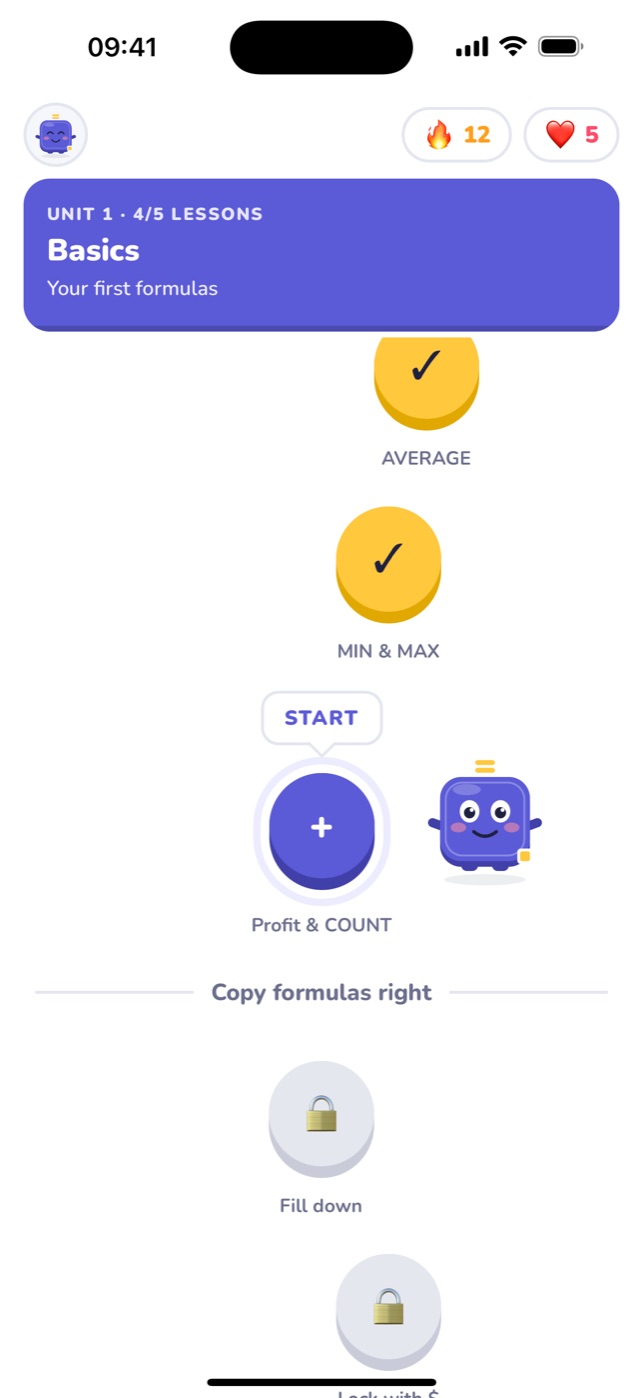
First formula · SUM · AVERAGE · MIN & MAX · Profit & COUNT
Live
Copy formulas right
Fill down and lock cells with $
Fill down · Lock with $ · Rates & totals · Review
Coming soon
Decisions
IF, AND, OR
Coming soon
Count & sum by condition
COUNTIF, SUMIFS
Coming soon
Lookups
VLOOKUP, XLOOKUP, INDEX/MATCH
Coming soon
Clean messy data
TRIM, TEXT, dates
Made for
Whatever got you here, start with the right lesson
Passing a job Excel test
Practise the formulas hiring tests ask for, with feedback on every mistake.
Doing your job faster
Stop adding numbers by hand. Totals, averages and percentages that update themselves.
School or university
Get comfortable with the spreadsheet work your courses assume you already know.
Switching careers
Spreadsheet skills show up in almost every office job description. Build them in small steps.
From the blog
Free Excel formula guides
Learn Excel
Learn Excel Formulas for Beginners: A Step-by-Step Path
A beginner's path to Excel formulas: start with =, cell references and SUM, then AVERAGE, $ locks, IF and lookups. Clear order, real examples, no fluff.
Formulas
Basic Excel Formulas: The 25 Everyone Should Know
The basic Excel formulas you'll use every week: totals, averages, counting, conditions, lookups, text and dates, with examples and full guides.
Formulas
VLOOKUP in Excel: A Simple Guide With Examples
Learn VLOOKUP step by step: the four arguments, exact vs approximate match, locking the table with $, and fixing #N/A. Plus when to use XLOOKUP instead.
Formulas
IF Function in Excel: Simple Examples You Can Copy
Learn the Excel IF function with simple examples: pass/fail, over budget, bonuses, text and number tests, and how to combine IF with AND, OR and other formulas.
Formulas
Absolute Reference in Excel: What the $ Sign Does
Why formulas break when you fill them down, and how the $ sign fixes it. Absolute references explained with share-of-total, tax rate and lookup examples.
Job Test Prep
Excel Test for a Job Interview: What's Tested and How to Prepare
What pre-employment Excel tests cover at basic, intermediate and advanced levels, sample tasks, a 2-week prep plan and tips for test day.
FAQ
Questions about learning Excel with Cellio
Is Cellio free?
Cellio is free to download on iPhone and iPad. Cellio Pro is an optional subscription that unlocks every unit and unlimited hearts. Prices are shown in the App Store for your country.
Do I need Excel installed to use it?
No. Every exercise runs on a spreadsheet inside the app, with a real formula engine. You don't need Excel, Google Sheets or a computer.
Does it work for Google Sheets too?
Yes. The formulas Cellio teaches (SUM, AVERAGE, MIN, MAX, COUNT, cell references and $ locks) are written the same way in Excel and Google Sheets.
How long is a lesson?
About two minutes. Each lesson introduces one idea and then gives you a few short exercises on a real sheet.
I'm a complete beginner. Is it for me?
Yes. The first lesson starts with what a cell reference is and why formulas begin with =. You'll write your first working formula in a couple of minutes.
What does the course cover right now?
Basics (=, SUM, AVERAGE, MIN, MAX, COUNT, profit formulas) and Copy formulas right (fill down, $ absolute references, rates and totals). IF, COUNTIF and SUMIFS, lookups and cleaning data are coming next.
Is there an Android version?
Cellio is available on iPhone and iPad today. Follow the blog for news about other platforms.
What languages is the app in?
The app is available in 33 languages, including English, Spanish, Portuguese, French, German, Japanese and Arabic. Formula names in the lessons stay in English (SUM, AVERAGE), as in Google Sheets and English versions of Excel.
Your first formula is two minutes away
Download Cellio, pick your goal and write a real formula today.
Download on the App StoreiPhone and iPad · Excel and Google Sheets